


Track money in another currency
Type an amount in any currency and PayMeLater converts it at that day's rate. The rate and date are saved with the entry for good.
Updated
Every contact has a currency, and their balance is kept in it. Individual entries can be in any currency at all: a dinner in dollars on a trip still counts towards a balance in pounds, and the entry remembers both amounts.
- 1
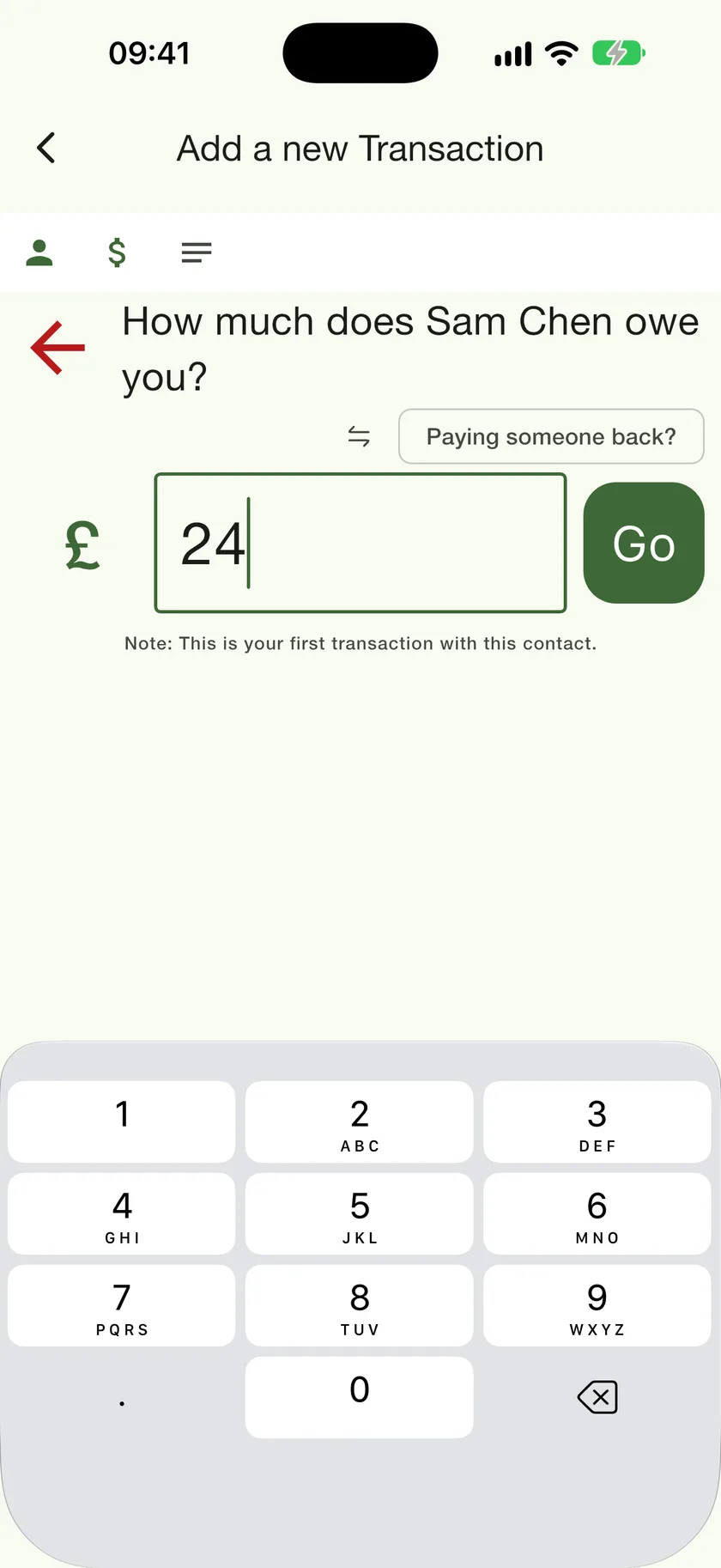
Tap the currency symbol on the amount step
While adding a transaction, the symbol to the left of the amount opens the currency list.
- 2
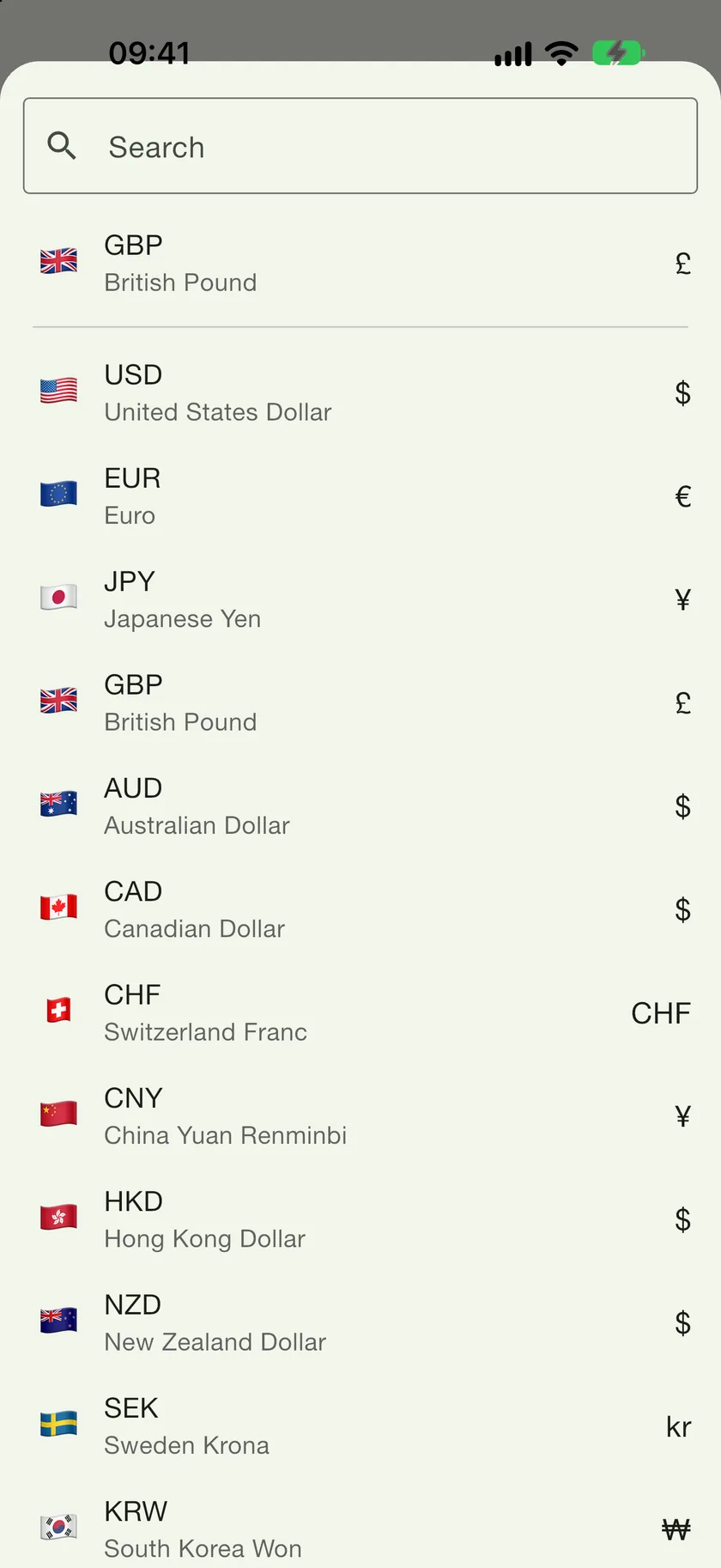
Pick the currency the money was actually in
The contact's own currency is pinned at the top. Search for any other.
- 3
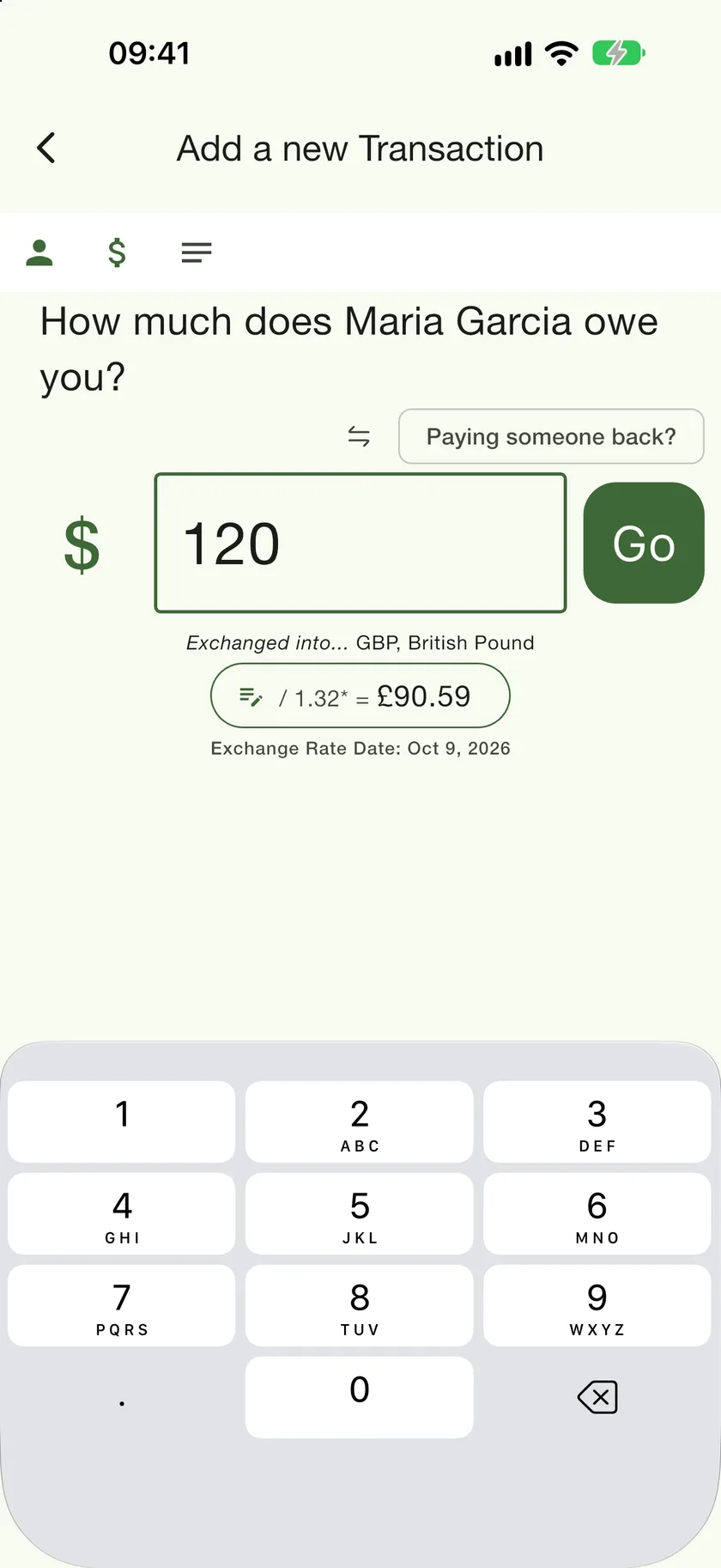
Type the amount and check the conversion
The line under the field shows what it comes to in the contact's currency, at today's rate, with the rate's date. Tap the pill to use a different rate, for example the one your bank charged.
How it shows up afterwards
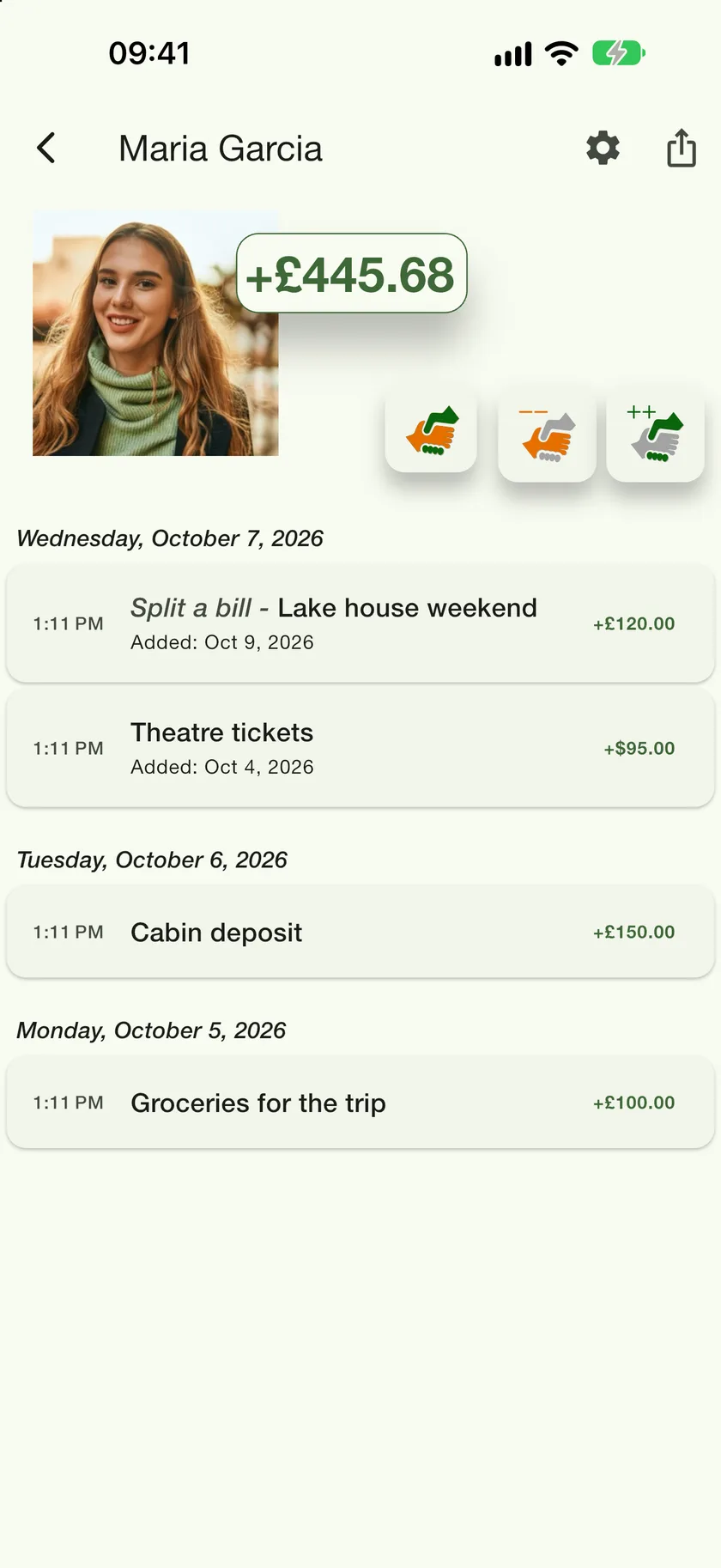
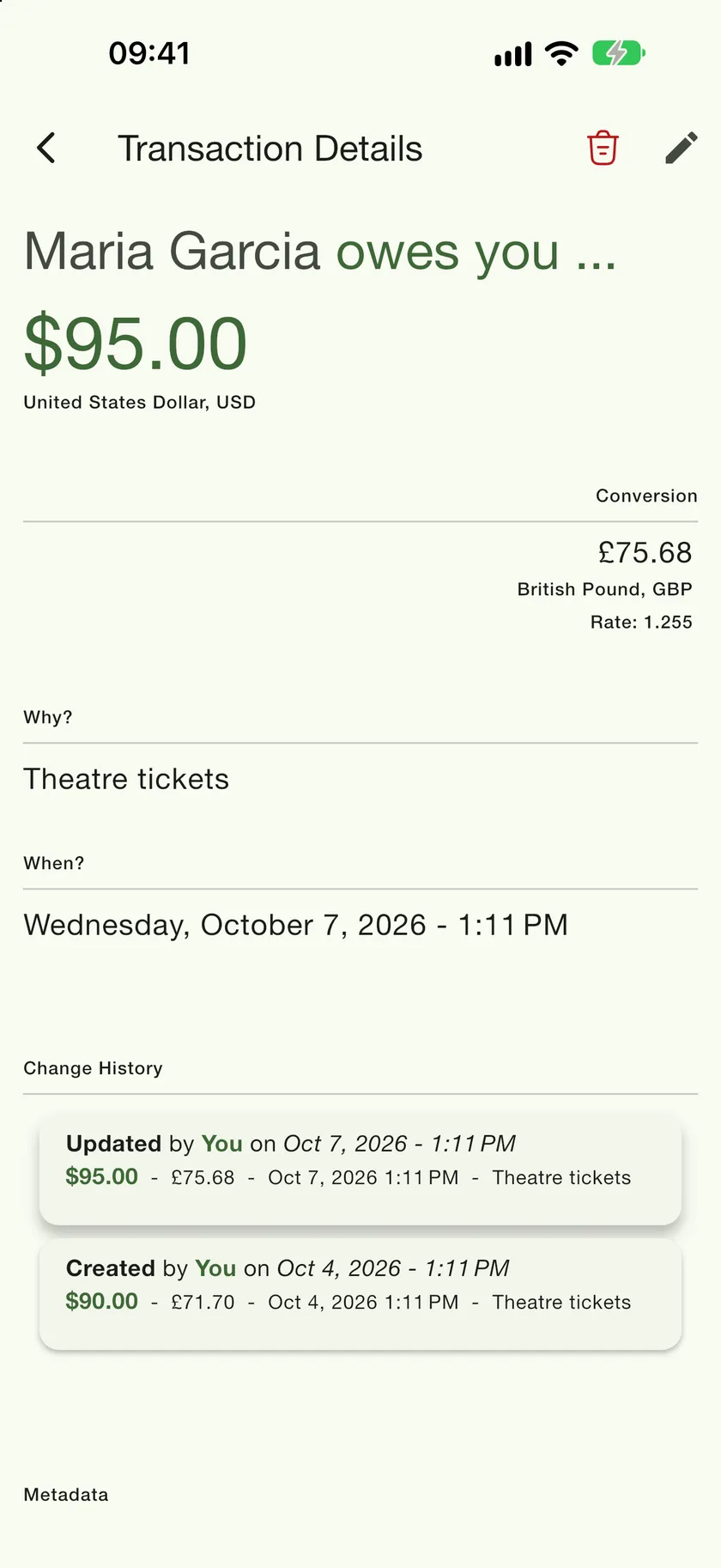
The ledger lists the entry in the currency you typed, while the balance at the top stays in the contact's currency. Open the entry and the Conversion block shows the converted amount, the rate, and the date the rate was taken. That rate never changes, so old entries never drift when exchange rates move.