



Edit an IOU and read its change history
Amounts, reasons and dates can all be changed. Every change is written into a dated history on the entry, so the record stays fair.
Updated
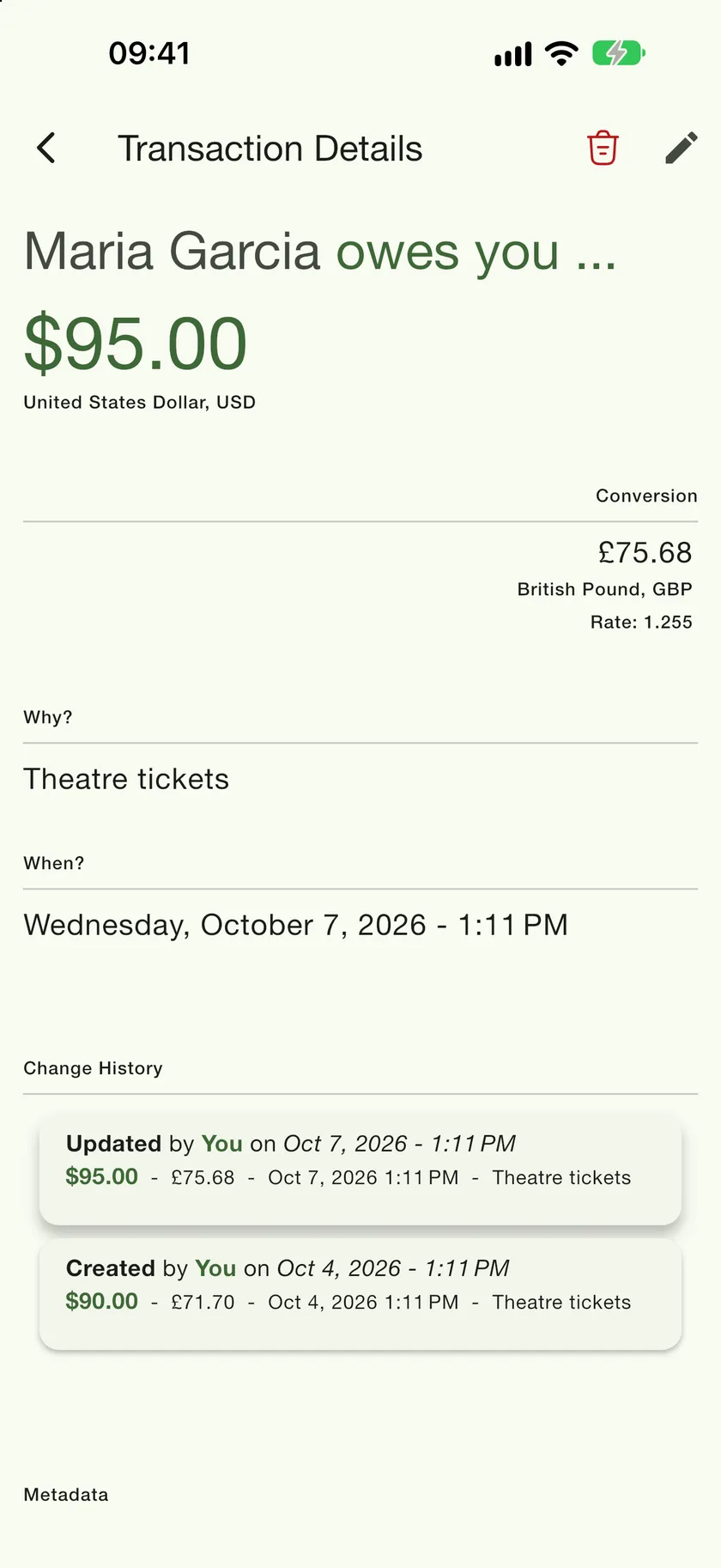
Got the amount wrong, or remembered the date later? Tap the entry on the contact's ledger to open Transaction Details. The pencil in the top right opens the same three-step form you used to create it, with everything pre-filled; the bin deletes the entry.
The change history
PayMeLater never silently rewrites an entry. Each edit adds a card to the Change History at the bottom of the details screen: who made the change, when, and the full values before and after. The newest change is at the top and the original creation is at the bottom, so you can always see how an entry got to where it is.
- 1
Edit or delete
The pencil reopens the entry for editing. The bin removes it (you are asked to confirm). The balance is recalculated either way.
- 2
Read the history
Every revision keeps its own amount, reason, date, and a line saying who changed it. On a shared ledger, edits made by your friend show their name here too, and if the direction was switched the card says so in words.